Star Tracker
Your specs are in Obsidian. Your tickets are in Jira. Every task lives in two places, and the one in the tracker never has the context the one in the notes does.
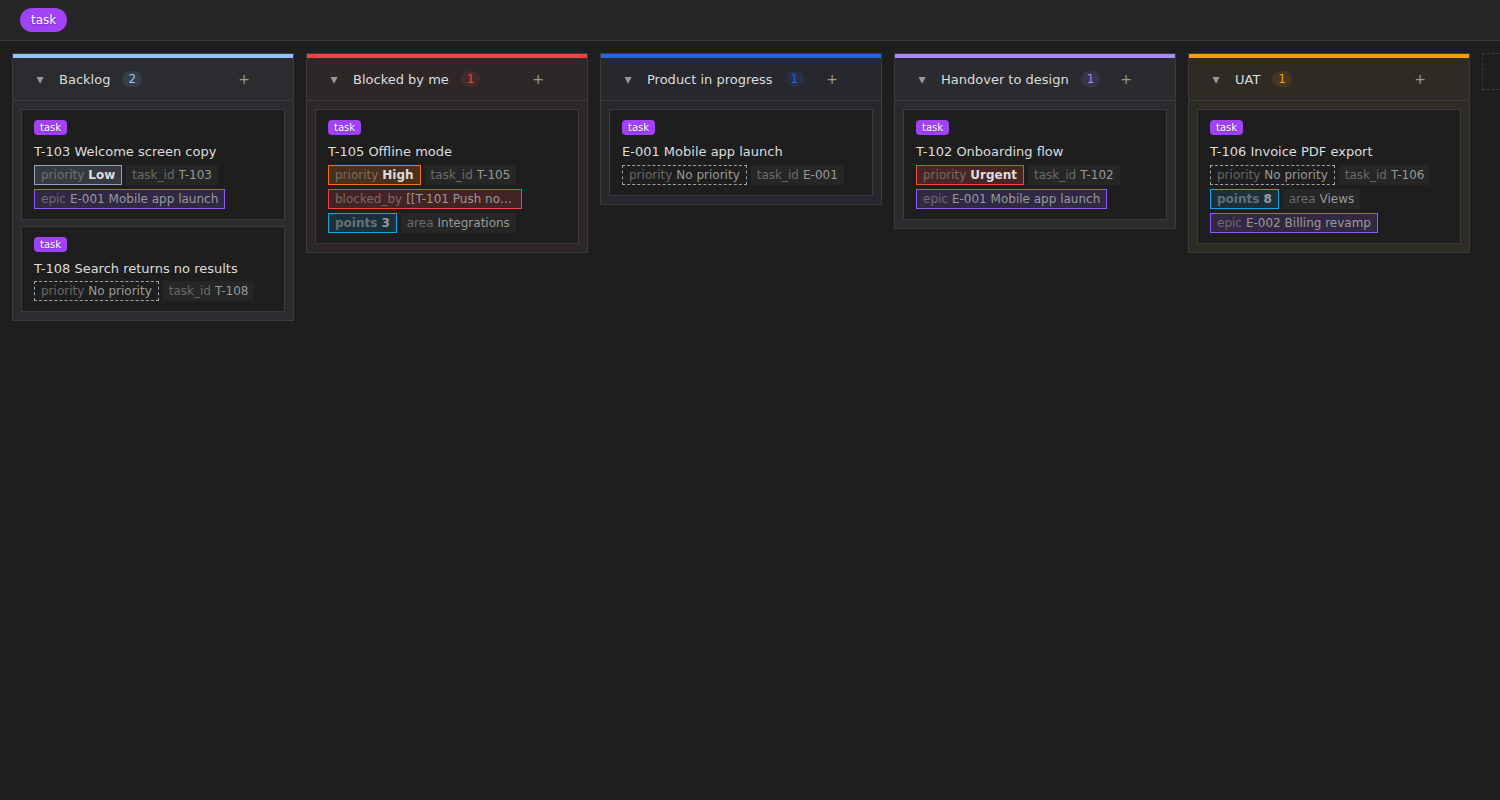
Star Tracker puts the tracker where the notes are. A task is a Markdown note with a tag. Star Tracker turns any Obsidian base into a board, a sprint, a dashboard, a timeline and a weekly update on top of those notes.
Settings → Community plugins → Browse, search for Star Tracker, install, enable. Then run the command Star Tracker: Create a tracker and pick a folder.
To install it by hand instead, put main.js, manifest.json and styles.css from the latest release into <your vault>/.obsidian/plugins/star-tracker/ and enable it under Community plugins.
Why it lives in your vault
A ticket in a tracker is a title, a status and a link to the doc that explains it. The doc is where the thinking is. Keeping them apart means every status update is a trip to another tool.
In Star Tracker the ticket is the doc. Status, priority, owner, epic, sprint and points all sit in the note's frontmatter, next to the spec, the meeting notes and the decision log. Drag a card to another column and the note's status changes. Open the note and the whole task is there.
---
tags: [task]
type: Story
status: Dev in progress
priority: High
parent: "[[E-001 Mobile app launch]]"
sprint: "[[Sprint 4]]"
points: 5
blocked_by: ["[[T-101 Push notifications]]"]
---
Every field name can be changed in settings, so it fits the notes you already have. Already have task notes? Add missing fields to task notes fills in the empty ones.
What it costs
Nothing. MIT licensed, installed from Obsidian's own plugin list, no account, no cloud, no per-user seat. Your tasks are text files, so they sync, search and diff in git like every other note.
You give up what a hosted tracker gives you: a board your whole company can open in a browser, permissions, and integrations with the rest of your stack. You get a tracker that sits in the same folder as the work it tracks.
Six views on one set of notes
| View | What it shows |
|---|---|
| Star board | Kanban. Drag cards between columns to change status, priority or any other property. WIP limits, column colours, multi-select. |
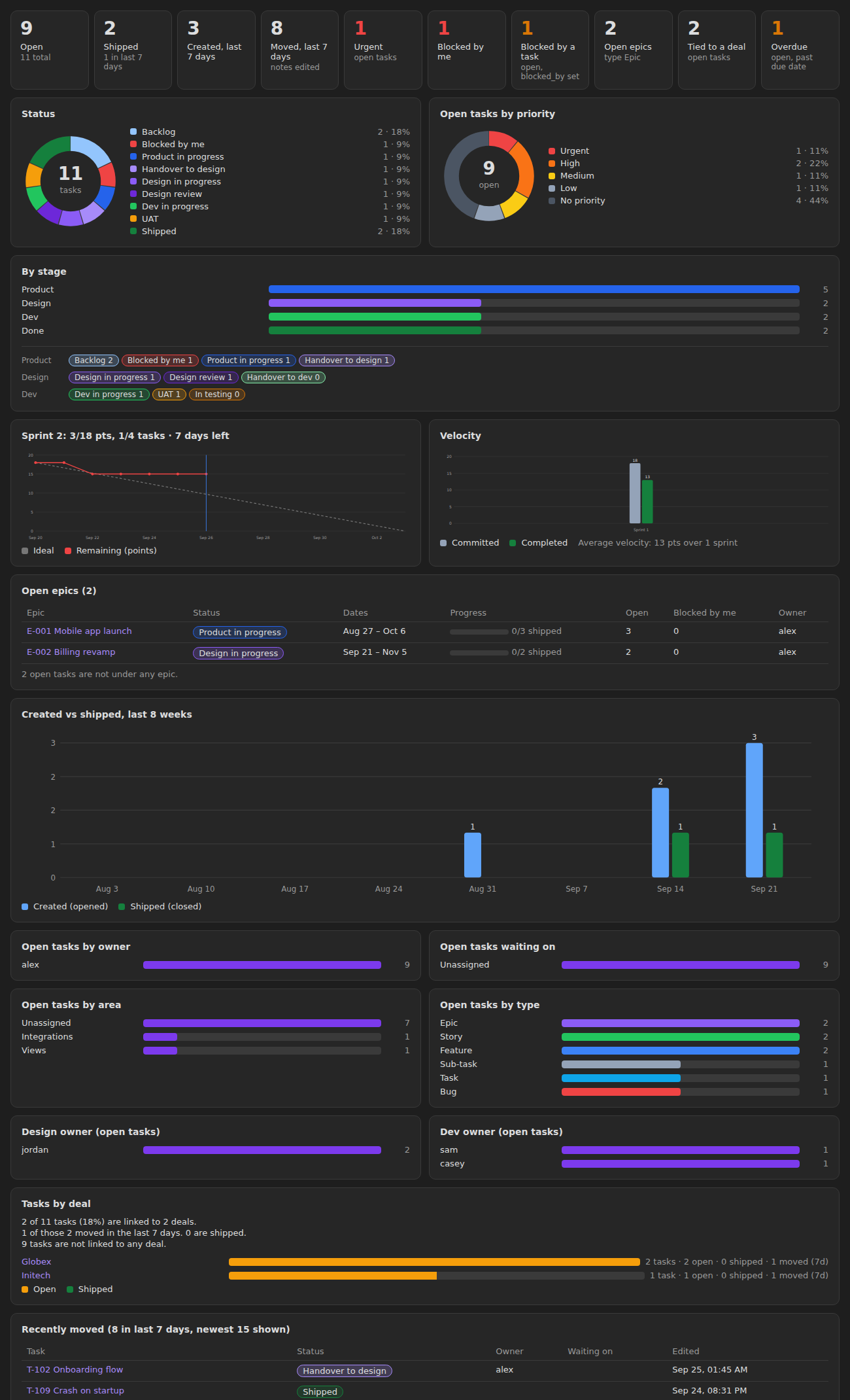
| Star dashboard | Open, done and overdue tiles, status and priority donuts, open epics with progress bars, created vs done for the last 8 weeks, tasks by owner. |
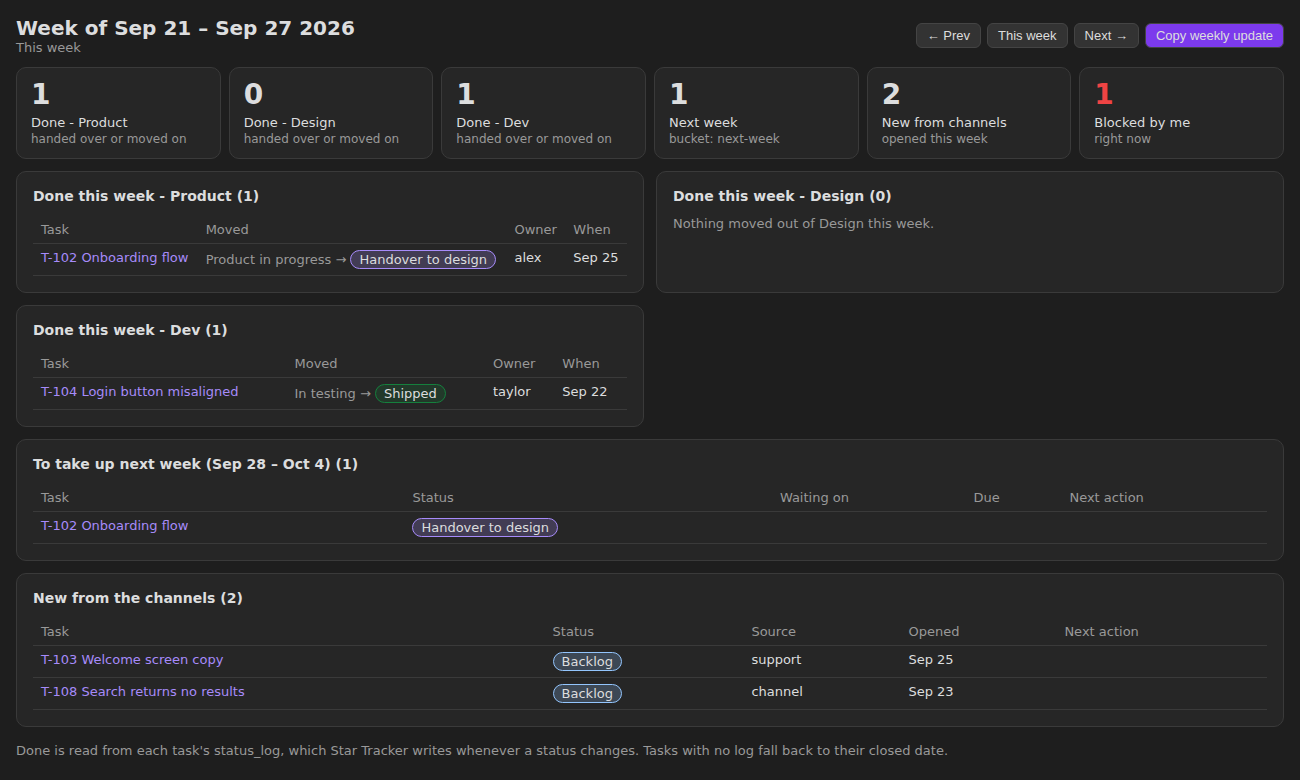
| Star weekly | What each stage finished this week, what is planned for next week, what came in from outside. One click copies the update as text, ready to paste into chat. |
| Star timeline | Epics, stories and sub-tasks as bars, zoomable by week, month or quarter. An epic with no dates spans its children. |
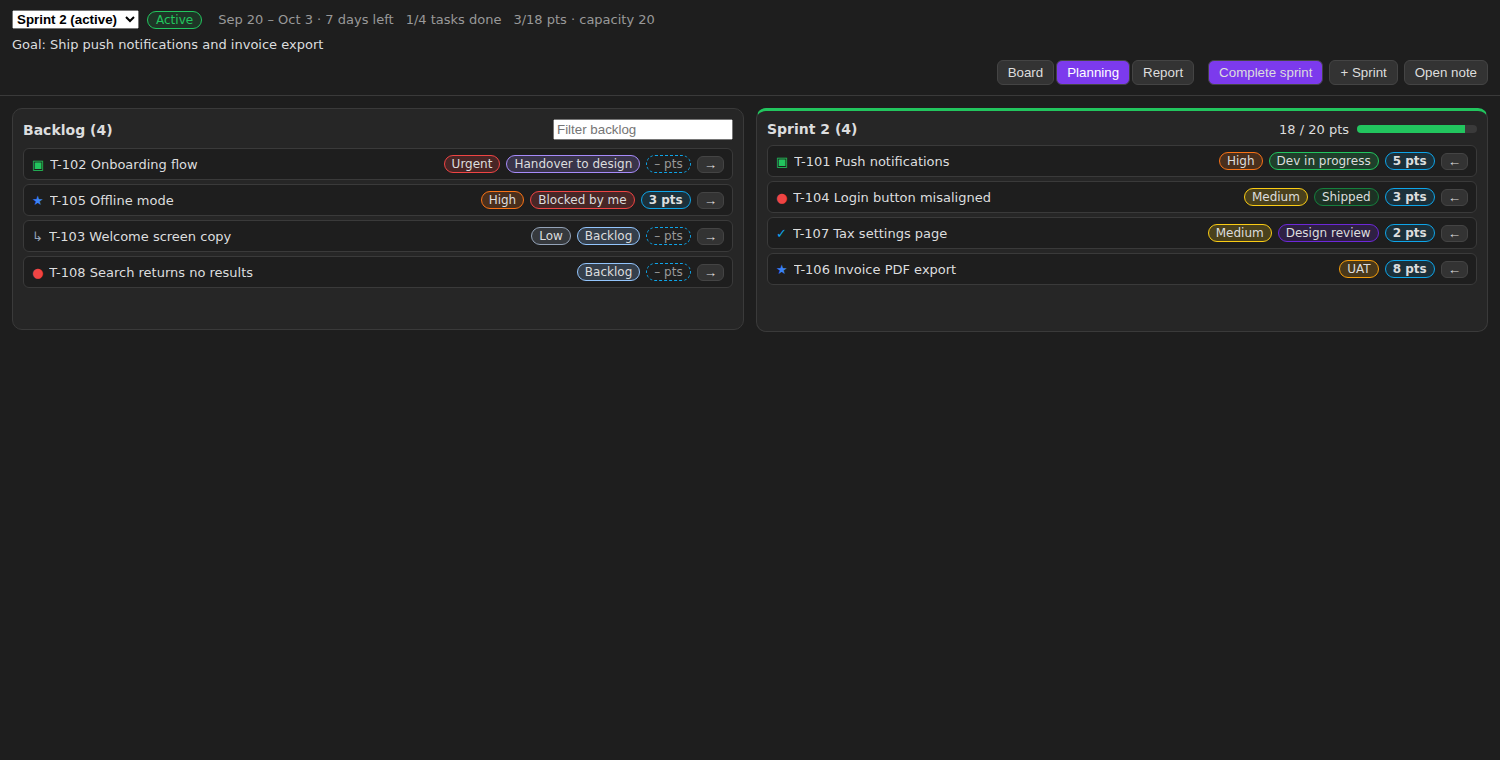
| Star sprint | A sprint board, backlog-to-sprint planning with points against capacity, and a report with burndown and velocity for the last 6 sprints. |
| Star activity | A day-by-day record of what you did: notes created and edited, ticked checkboxes, status changes, with a 10-week heatmap. |
Sprints that run themselves
A sprint is a note too, with a start date, an end date, a goal and a capacity in points.
Start sprint records what was committed. Complete sprint records what got done and moves the unfinished tasks to the next sprint, a new one, or the backlog. The burndown comes from the date each task actually reached done, which Star Tracker logs in the task's status_log every time its status changes.
The weekly update, written for you
Most of a status update is reconstructing what moved. The weekly view already knows, because every status change is logged. It groups the week by stage, shows what is lined up next and what came in from outside the team, and Copy weekly update hands you the whole thing as text.
More than one tracker
Run Create a tracker as many times as you like, for example one for work and one for home. Each gets its own folder, base and task tag, so the tasks stay apart, and each can have its own statuses, stages, priorities and types. The tracker icon in the ribbon opens any of them in one click, or two side by side.
What it will not do
It is a tracker for one vault, not a shared team tool. Anyone who needs to see the board needs the vault.
Activity recording starts when the plugin is turned on. Obsidian keeps no edit history, so days before that show only status moves from status_log.
Renaming a status in settings does not rename it in your notes. Existing tasks keep the old name until you change them.
It needs Obsidian 1.10.2 or later, because it is built on Bases.
Then tell me what broke
Star Tracker shipped ten versions in its first two weeks. It is one person's plugin, and the rough edges are real.
The board is a fork of Base Board by Michael DeRazon, MIT licensed, with Star Tracker's card chips added on top. Everything Base Board does still works, and moving over is a one-line change in the .base file.
The setup guide walks through a full setup, from workflow design to a weekly routine, and includes a prompt you can give Claude to set the tracker up for you.